
Your to-do list never ends. Your day always does. Anchor helps you choose what fills it.
Plan your focus.
“What reminders should be.”Your to-do list never ends. Your day always does. Anchor helps you choose what fills it.
How it works
Plan your day in blocks
Capture tasks as they come
Assign tasks to any block
Focus, and let the rest wait
Plan
Give your day a shape.
Make a block for each thing you want to focus on: a client, a project, the gym, an evening off. Each block holds as many or as few tasks as you like.
- Your whole day at a glanceUp to five days side by side
- Routines that repeat on their own
- Your meetings and blocks in one calendar
- Colour-coded by project, so you see where your time goes
Capture
Write tasks the way you'd say them.
Type “Call Andrea tomorrow 9am @Work !!” and Anchor fills in the date, the project and the urgency. On iPhone, you can just say it.
- Smart capture for dates, urgency and projects
- Add tasks from Siri, widgets or Shortcuts
- Quick capture from anywhere on your Mac
- Works with your Reminders lists
Assign
Fill your blocks with tasks.
Put any task in any block, and move it whenever plans change. A quick call can share a block with a few emails. A bigger job can take three blocks across the week.
- Hold a task and carry it to a blockDrag one task, or ten, onto a block
- Mix projects in one block
- Reshuffle without redoing your day
- A plan that works for you, not the other way around
Focus
One block at a time.
When a block starts, focus on what's in it. When it ends, nothing is marked late or failed. Move what's left to another block when you're ready.
- Just what you're working on, nothing else
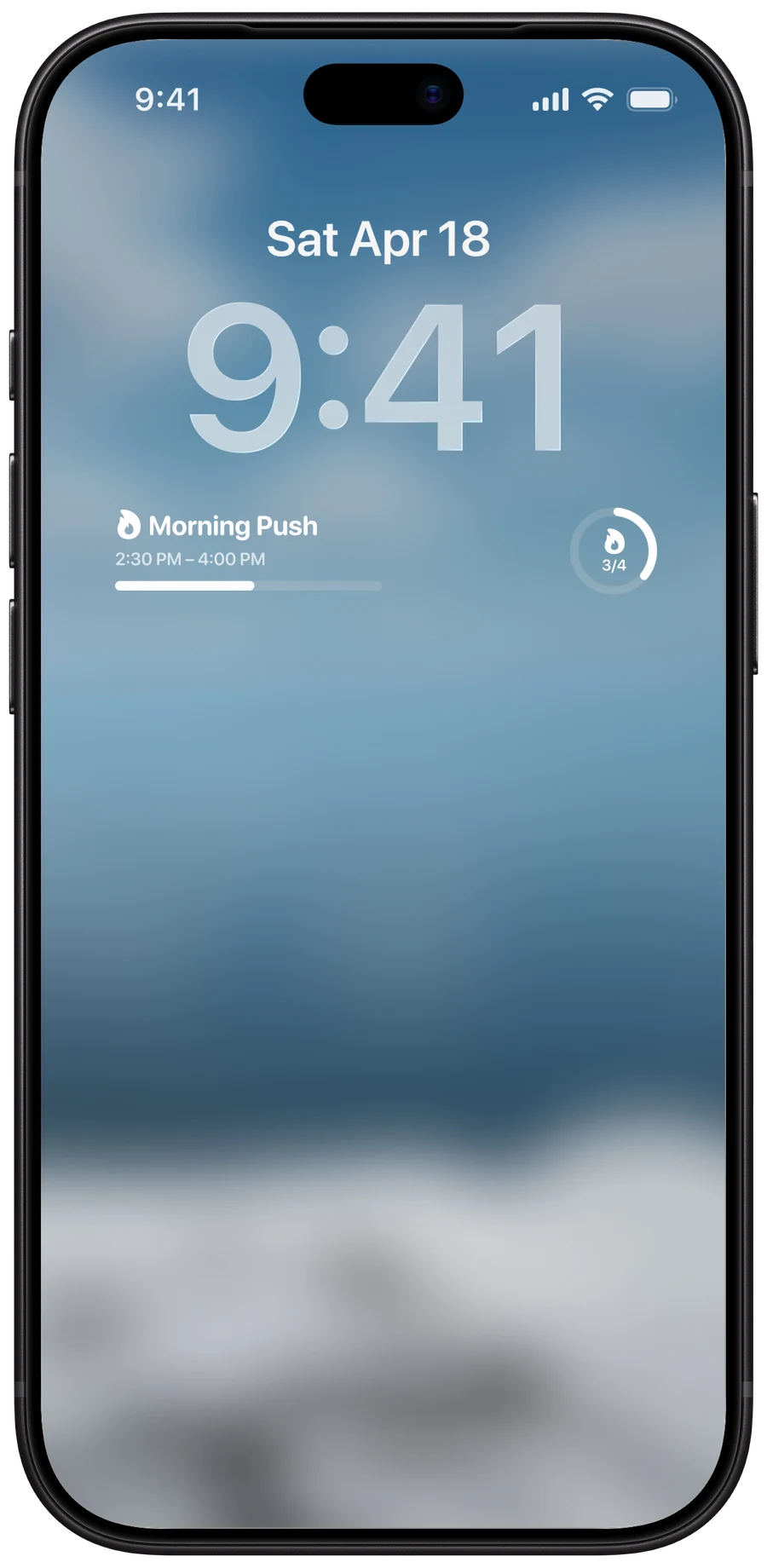
- Your block on the Lock Screen and in the Dynamic Island
- On Mac, your block in the notch
- A heads-up when blocks start and end
Urgency
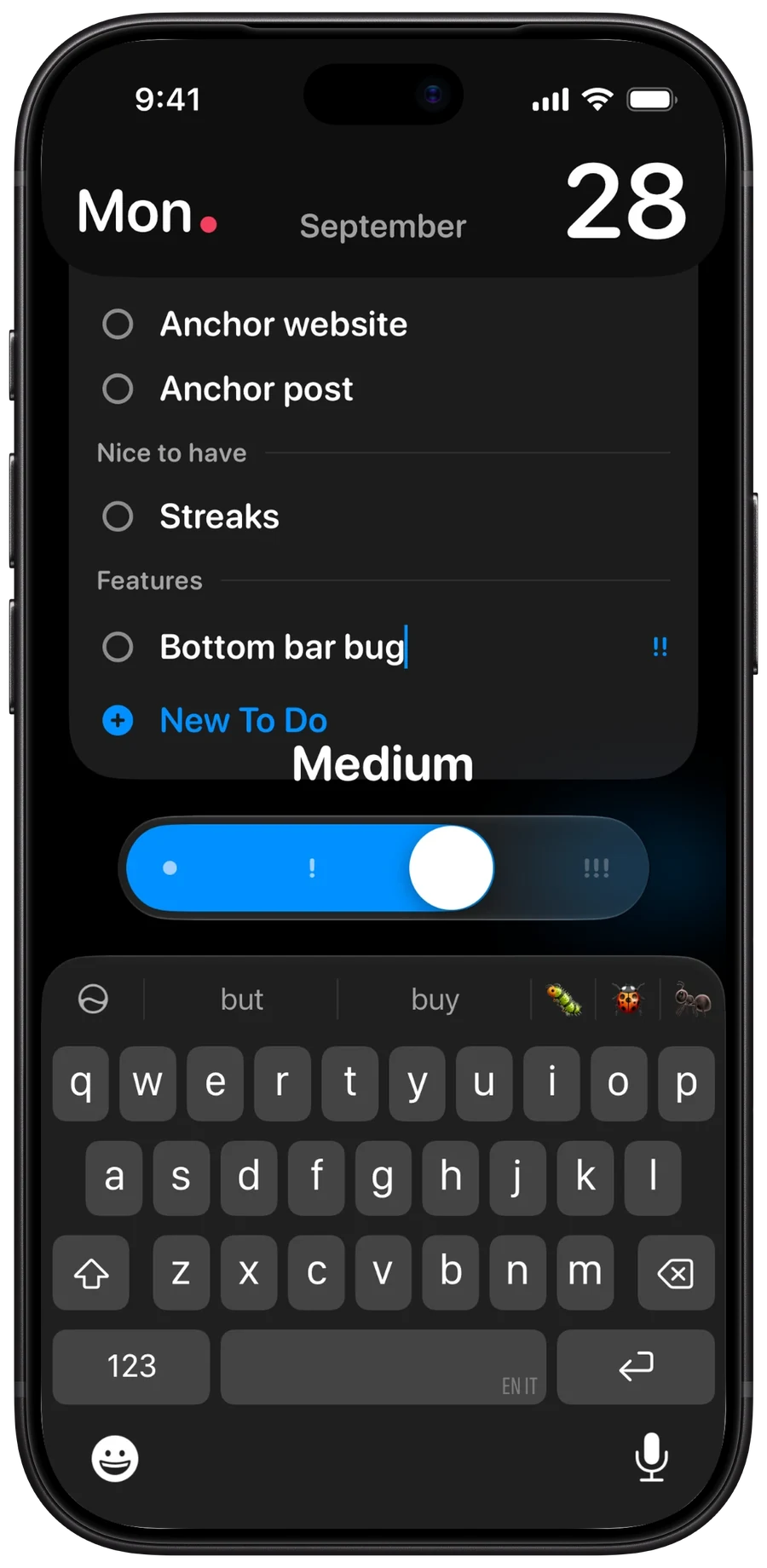
Slide to set how much it matters.
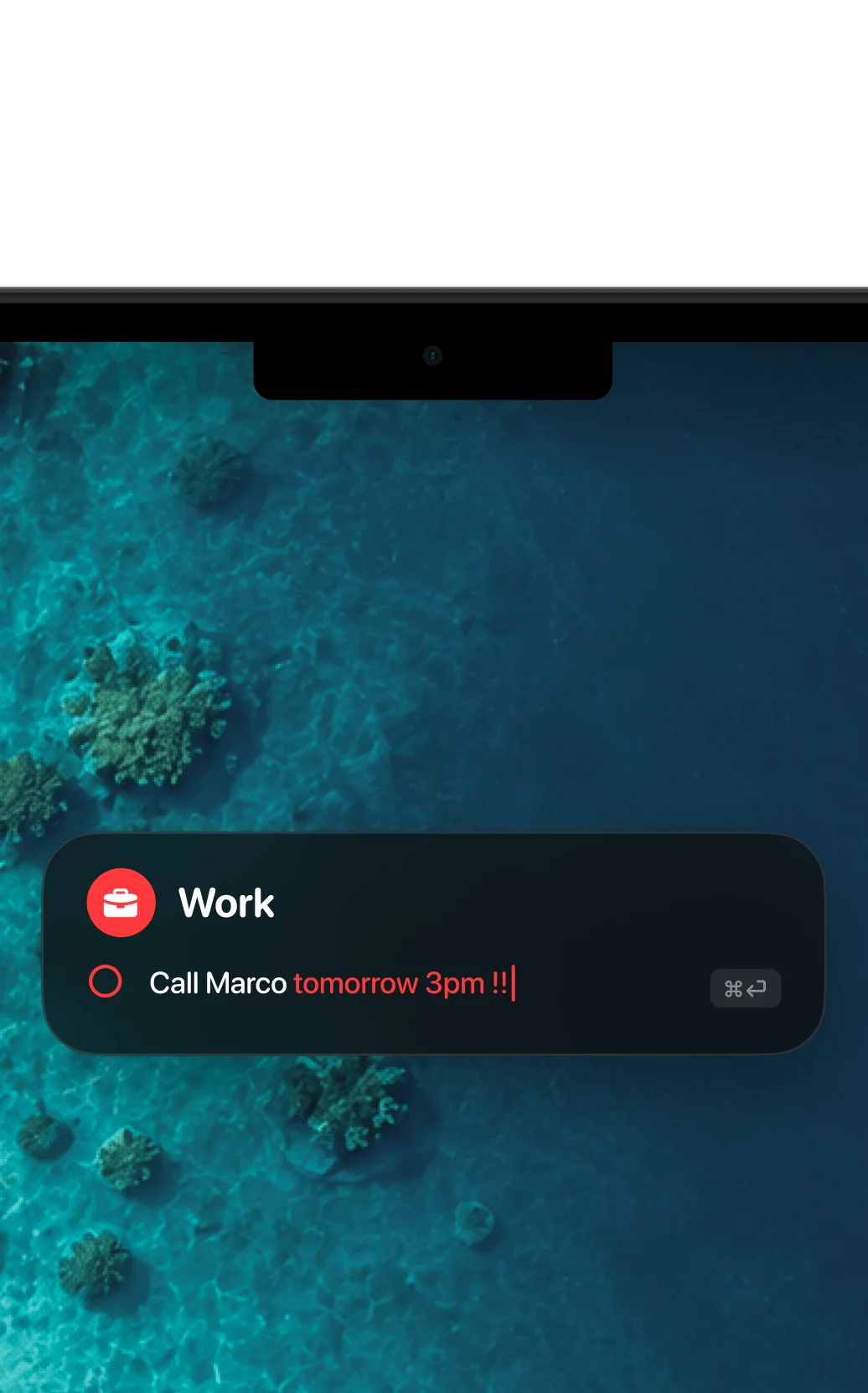
Quick add
Capture from anywhere on your Mac.
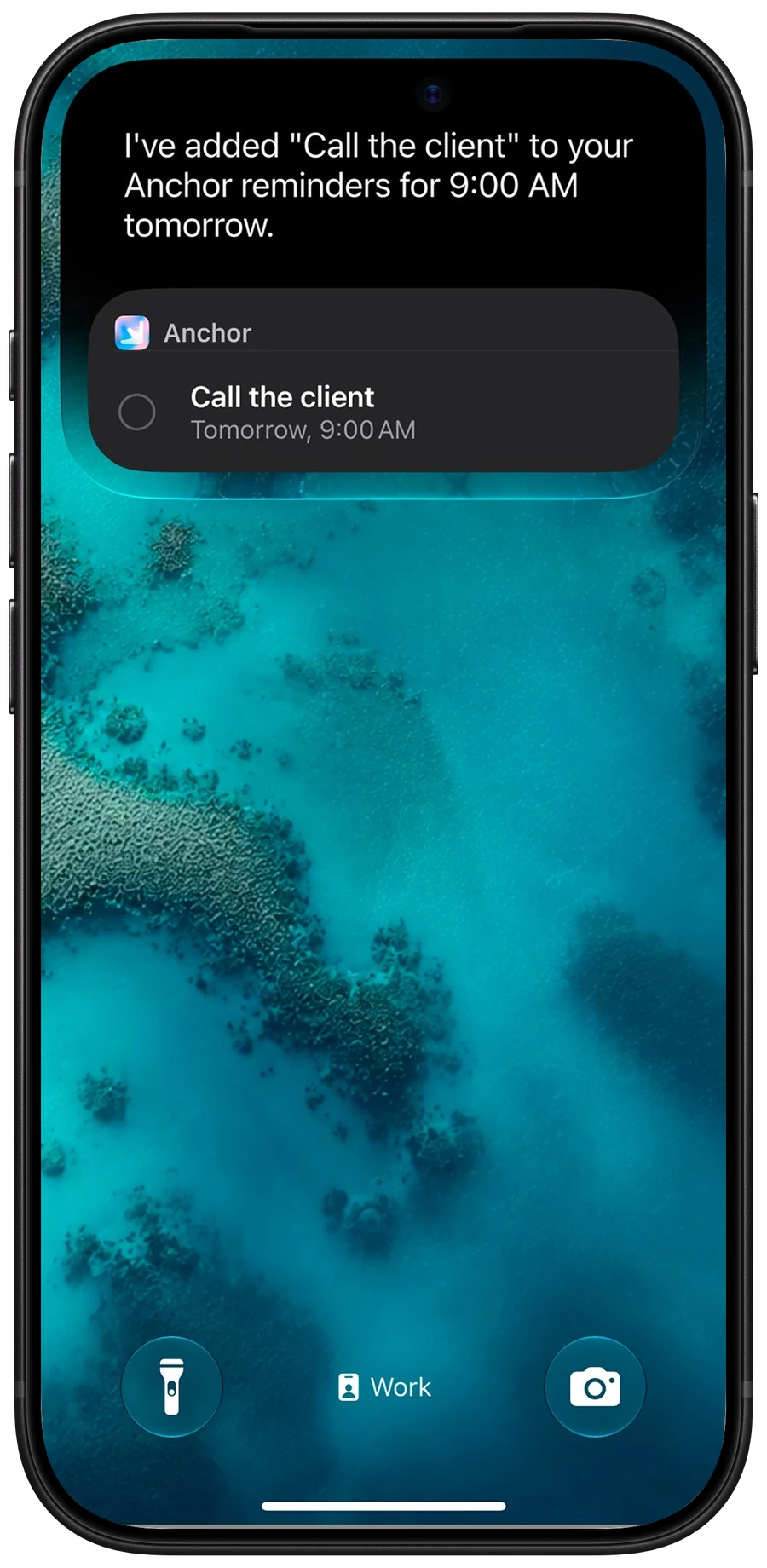
Ask Siri
Add a task hands-free.
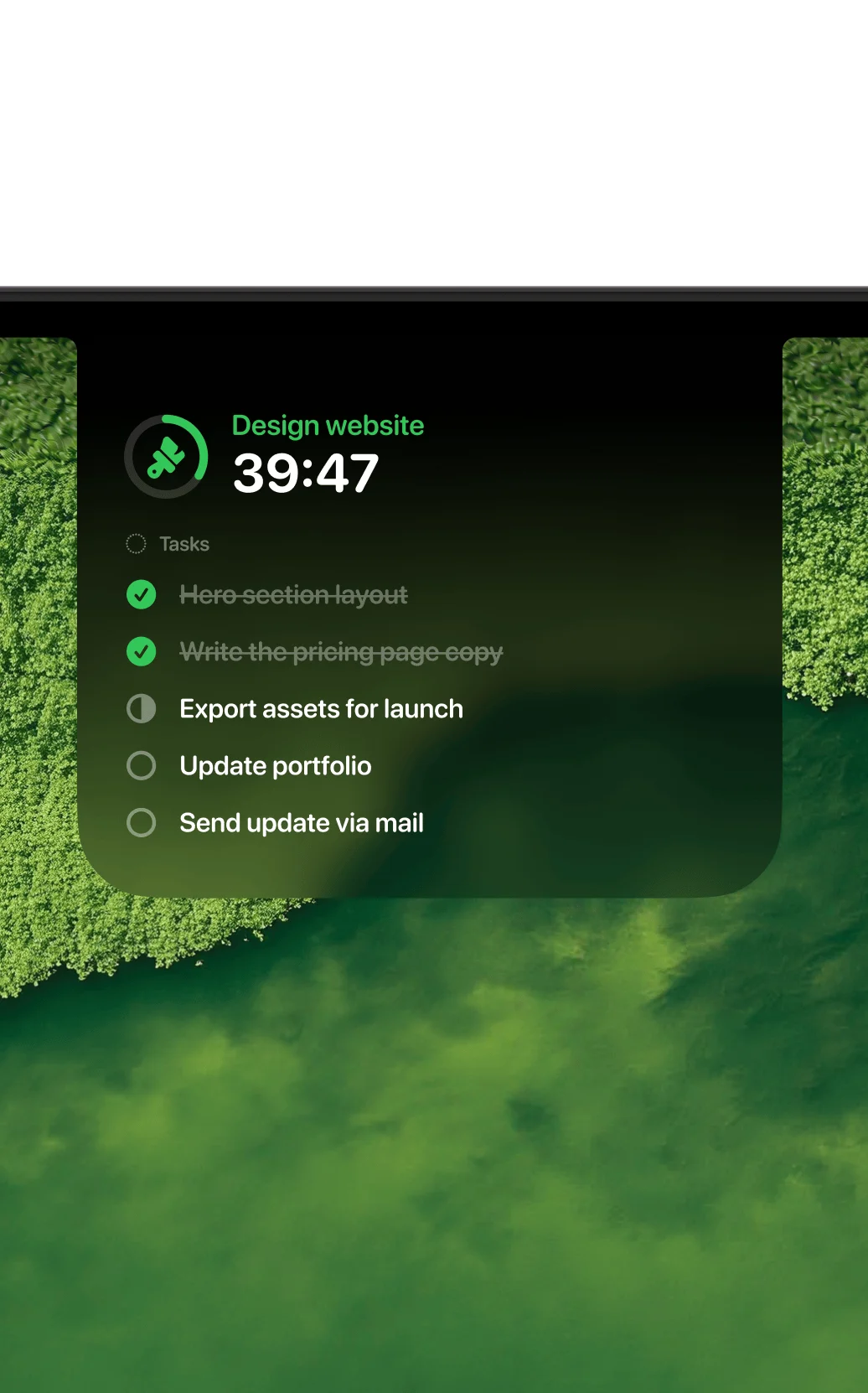
In the notch
Your block and its countdown. Hover to tick tasks.
Lock Screen
Your block, right under the clock.
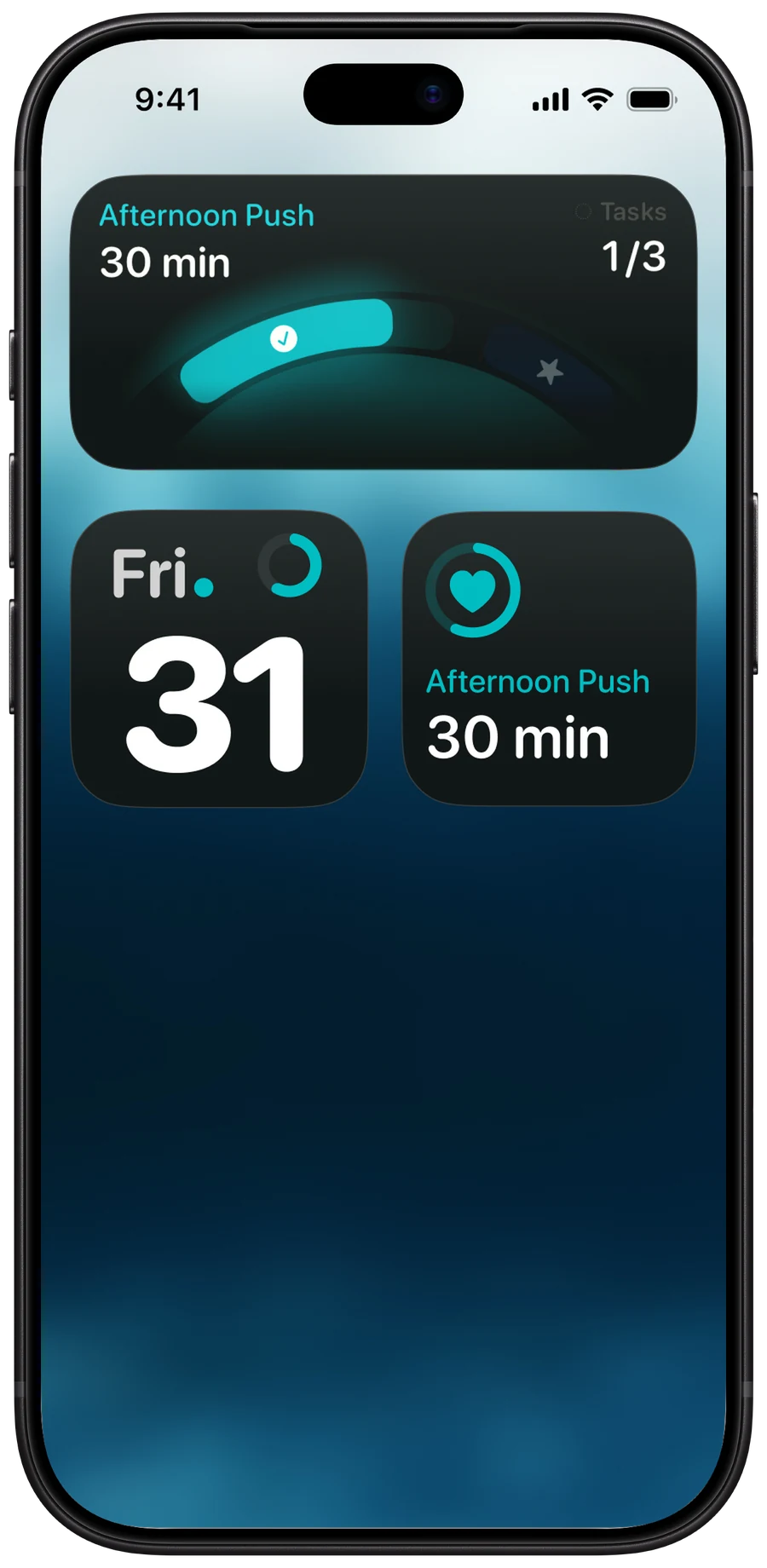
Widgets
Your day and your block, at a glance.
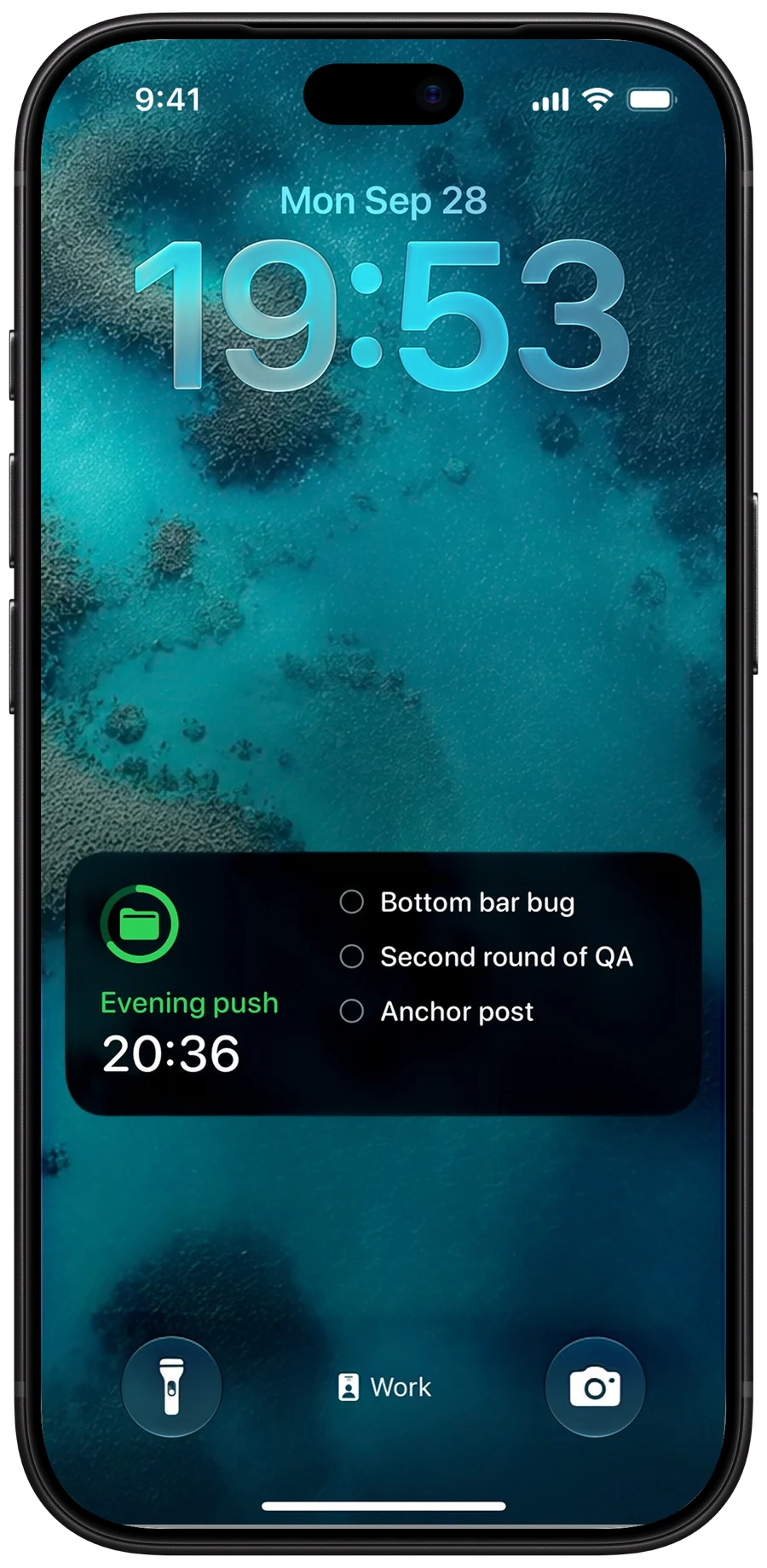
Live Activity
Your current block, with its tasks.
Designed to be together
Your Mac and iPhone, on the same page.
A native Mac app, with the same projects, tasks and blocks as your iPhone, synced through your own iCloud.

Several days at once
Show one to five days side by side.
Private, in your iCloud
No account. Your data stays on your devices and in your iCloud, never with us.
A joy to use
Every drag, drop and tick feels just right.
Quick add
A shortcut to add a task from anywhere.




Works with AI
Let your AI plan with you.
Connect Claude, Codex, Cursor or any MCP app to Anchor on your Mac, and ask it to plan your week, sort your list or move things around. Everything stays on your Mac, and nothing changes without your say.
- Plan tomorrow around my 2pm call, using what’s open in Work.
- Turn these meeting notes into tasks in Work, with due dates.
- Move everything from Friday afternoon to Monday morning.
- Block two hours of deep work every morning at 9.
- What’s still open this week, and what’s overdue?
Alternatives
Anchor and the apps you might be using.
The big difference: Anchor keeps time blocks separate from tasks. Here’s how it compares, checked against each app’s own website in October 2026.
| Feature | Anchor | Structured |
|---|---|---|
| Time blocks separate from tasks | Yes | No |
| Pricing | Free on iPhone. $49.99 once for everything | Free core. Pro by subscription or lifetime |
| Native Mac app | Yes | Yes |
| Tasks scheduled on a timeline | Yes | Yes |
| Two-way Apple Calendar sync | Yes | Import only |
| Two-way Reminders sync | Yes | Partial |
| No account needed | Yes | Yes |
| Your data in your own iCloud | Yes | Optional |
| Android, Windows, web | No | Yes |
| Feature | Anchor | Structured | Sunsama | Things 3 | TickTick |
|---|---|---|---|---|---|
| Time blocks separate from tasks | Yes | No | No | No | No |
| Pricing | Free on iPhone. $49.99 once for everything | Free core. Pro by subscription or lifetime | $17–22 / month. No free plan | $49.99 Mac + $9.99 iPhone + $19.99 iPad, once | Free tier. $49.99 / year |
| Native Mac app | Yes | Yes | Electron | Yes | Yes |
| Tasks scheduled on a timeline | Yes | Yes | Yes | Dates only | Premium |
| Two-way Apple Calendar sync | Yes | Import only | Yes | Read-only | Partial |
| Two-way Reminders sync | Yes | Partial | Partial | Import only | Import only |
| No account needed | Yes | Yes | No | Sync needs one | No |
| Your data in your own iCloud | Yes | Optional | No | No | No |
| Android, Windows, web | No | Yes | Yes | No | Yes |
US App Store prices, October 2026. Prices vary by region. Something out of date? Tell us at anchor@pool.studio.
No subscription
Pay once. Keep it forever.
Anchor is free on iPhone. On Mac, you pay once: no monthly fees, nothing to cancel.
No account
Open the app and start. There's nothing to sign up for.
Your iCloud
Sync goes through your own iCloud. Your data never comes to us.
Works offline
Everything works without a connection.
No ads
Anchor is paid for by the people who buy it, so there’s nothing else to sell. No tracking across apps.
Reviews
From the App Store.
“Literally just downloaded it and LOVE the tutorial. I've never seen anything like this in an app. Gives Stanley Parable vibes and I love it.”
“There are a few useful productivity apps out there, yes. But nothing as delightful and fun as this one. Neat design, clean gesture controls, nice calendar Vs tasks coordination and a genius tutorial experience.”
“What reminders should be.”
“I don't think I've ever left a review on an app before but this app is just so perfect. The design is so good I just find myself on the app for the sake of seeing the designs and feeling the haptics!”
“I searched a lot for an app that would help me plan to control my activities and something was always missing, but this app fulfills perfectly… it has a widget that in my opinion is one of the most beautiful.”
“Modern look and concept, very sweet spoken tutorial, i love to discover this… Fun!”
“Beautiful UI and UX, super intuitive. Worth every penny!”
“Incredibile planning app with beautiful design and attention to detail.”
“Loving the app, the way it handles my tasks during the day is awsome.”

Who makes Anchor
Made by me.
Hi, I’m Alex. I started building Anchor because I wanted a better way to plan my days. Two years later, I’m still here, using it, improving it, and figuring out what comes next.
There’s no team or outside funding. Just me, and a growing number of people whose ideas and feedback help make Anchor better.
If it makes your day a little easier, I’d love for you to stick around. Every bit of support helps me keep building.
Alex
CEO, CMO, CTO, Creative Director and Intern
Pricing
Free on iPhone. Pay once for the rest.
Anchor
Free
- Unlimited tasks, projects and blocks
- Repeating blocks
- Focus mode
- @Project and ! shortcuts
- Notifications
- Siri and Shortcuts
- Add Task widget and app icons
Super Anchor
$49.99 once
- Anchor for Mac
- iCloud sync between iPhone and Mac
- Widgets and Live Activities
- Calendar and Reminders sync
- Smart dates
- Voice capture
Try it free for 7 days. Nothing is charged when the trial ends.
FAQ
Frequently asked.
A time-blocking planner for iPhone and Mac. You make blocks of time for what matters, put tasks in them, and work through your day one block at a time.
Yes, on iPhone. Super Anchor is a one-time purchase that adds the Mac app, iCloud sync, widgets, Live Activities, Calendar and Reminders sync, smart dates and voice capture.
No. You pay once.
No.
Yes, through your iCloud, with Super Anchor.
Yes, both ways. You pick which calendars and lists.
No. Anchor is for iPhone and Mac.
iOS 26 or later on iPhone, macOS 26 or later on Mac.
English, German, French, Spanish, Italian and Brazilian Portuguese.
An optional feature on Mac that lets AI assistants like Claude read and plan your tasks. It runs only on your Mac and stays off until you turn it on.